

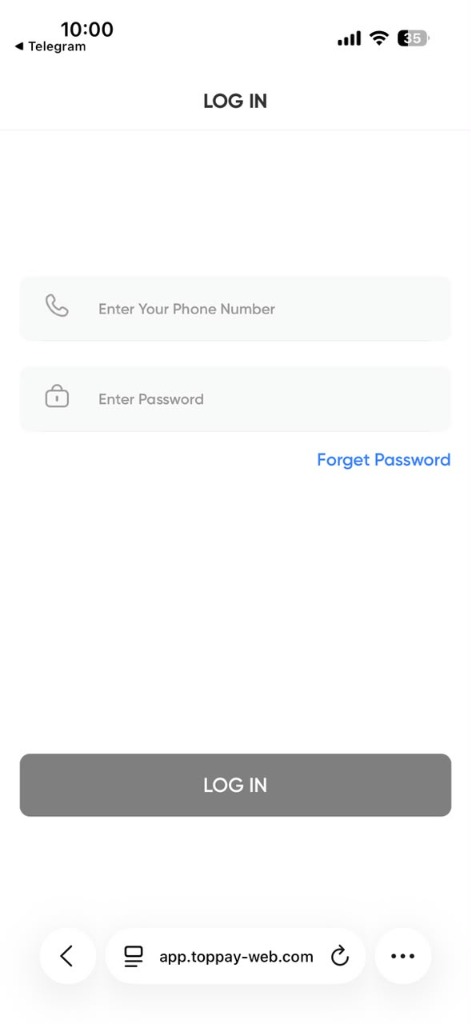
If you searched Toppay app download, here is the direct answer: the Toppay app on this platform is a web application. You do not download an installer, and this site does not publish a Toppay APK. You open toppay-app.online in your phone browser, sign in, and optionally add it to your home screen so it behaves exactly like an installed app.
That approach is deliberate, and it is meaningfully safer. Read on for the setup steps and the reasoning.
Step 1: Open the official Toppay login
On your phone, open Chrome (Android) or Safari (iPhone) and go to toppay-app.online. Type it directly or use a saved bookmark. Avoid tapping links forwarded in chat groups — that is the most common route to a phishing copy.
Confirm the address bar shows the complete domain and a padlock before you enter anything. Then use the Toppay login form with your registered phone number and password.
Step 2: Add Toppay to your home screen (Android)
With the page open in Chrome:
- Tap the three-dot menu at the top right.
- Choose Add to Home screen (on some versions it appears as Install app).
- Confirm the name and tap Add.
An icon now appears in your app drawer and home screen. Tapping it opens Toppay full-screen without the browser bar — visually identical to a native app.
Step 3: Add Toppay to your home screen (iPhone)
With the page open in Safari:
- Tap the Share button at the bottom of the screen.
- Scroll and choose Add to Home Screen.
- Confirm the name and tap Add.
Note that this must be done in Safari. Chrome on iOS supports it too, but Safari is the most reliable path.
What actually changes after you add it
The home-screen icon is not a bookmark with extra steps. Once added, the Toppay app behaves differently in several concrete ways:
- It opens full-screen. No address bar, no browser tabs — the same screen area a native app gets.
- It gets its own entry in the app switcher, so switching to it does not disturb your browsing tabs.
- It keeps its own session. Clearing your general browser history does not automatically sign you out of it.
- It has a fixed starting point. Every launch opens the login screen directly rather than wherever you last browsed.
How updates work
There is nothing to update. Because the app is served from the web, you are always running the current version the moment you open it — no store update, no version mismatch, no “this version is no longer supported” screen.
This also means a fix reaches you immediately rather than waiting on a store review. If you ever see stale content after a change, pull down to refresh, or clear the site cache for toppay-app.online.
Storage and data usage
The home-screen app stores only a small shell — icon, layout and cached assets — typically a few megabytes rather than the tens or hundreds a comparable installed app occupies. Your balance, transactions and account data are never stored on the device; they are fetched when you open it.
The practical consequence: losing or replacing your phone does not put your account data at risk on the old device, because it was never written there.
Using Toppay on more than one device
You can add it to the home screen of as many devices as you use — phone, tablet, a second handset. Each one signs in independently. Adding it to a device does not tie the account to that device.
On a shared or borrowed phone, use a private browsing window instead of adding it to the home screen, and sign out when you finish.
Removing it
Remove it the same way you remove any app icon: long-press the icon and choose remove or uninstall. On Android this deletes the shell and its cache; on iPhone it removes the home-screen entry. Neither action affects your account, your balance or your login.
Why it is not on the Play Store or App Store
The mobile experience here is delivered as a web application rather than a store listing. That decision has security reasons worth understanding before you install anything claiming to be a Toppay APK from elsewhere — those are covered in full on the Toppay APK guide.
The short version for this page: if you followed the steps above, you already have the official app, and there is nothing further to download.
Does it work offline?
The icon opens instantly offline, but balances and transaction status are fetched live, so signing in and viewing current data requires a connection. An offline screen appears if the network drops.
If the setup does not work
- No “Add to Home screen” option — you are probably in a private browsing window, where the option is hidden. Open the site in a normal tab.
- Icon added but opens in the browser — the shortcut was saved as a plain bookmark. Remove it and repeat from the browser menu rather than the share sheet on Android.
- Option missing on iPhone — the share sheet must be used inside Safari; some in-app browsers do not offer it.
- Blank icon — the icon image had not loaded when you added it. Remove the shortcut, reload the page fully, and add it again.
For a status message or error after signing in, see Toppay error messages explained.
Still stuck? See Toppay support and customer care contacts.
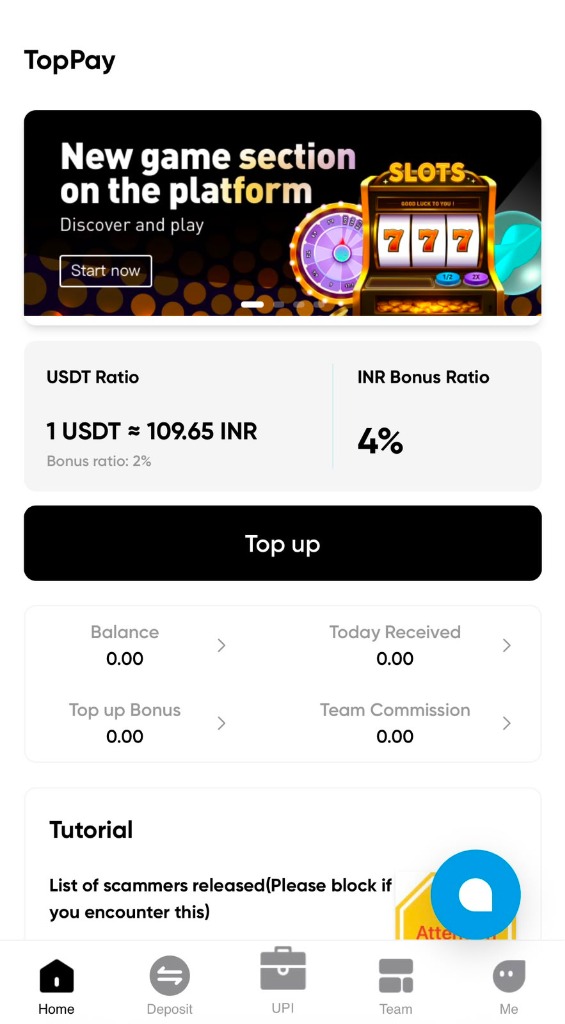
Toppay APK: What You Need to Know
Toppay APK is a high-volume search, and the answer is short: this site does not host a Toppay APK file. The Toppay app here is a browser-based web application reached at toppay-app.online. This page explains what an APK actually is, why sideloading one for a payment service is genuinely dangerous, and what to do instead.
What is an APK?
An APK (Android Package Kit) is the installer file format for Android apps. When you install an app from the Play Store, Android downloads and installs an APK for you after the store has screened it. When you install an APK manually — “sideloading” — you skip that screening entirely and take full responsibility for whatever is inside the file.
APK files can be modified. Anyone can take a legitimate app, insert code, repackage it, and distribute the result under the original name and icon. Nothing about the file’s appearance, name or size tells you whether that has happened.
Why a payment APK is a high-risk target
Payment and wallet brands are the most-copied category in Android malware, because the payoff is immediate. A repackaged payment APK typically asks for a specific combination of permissions:
- READ_SMS — reads every incoming SMS, which means every OTP for every bank and service on your phone, not just the app you installed.
- Accessibility Service — designed for users with disabilities, but it lets an app read on-screen content and perform taps on your behalf.
- SYSTEM_ALERT_WINDOW — draws over other apps, enabling a fake login overlay on top of a real banking app.
An attacker with those three does not need to guess your password. They watch you type it, capture the OTP as it arrives, and complete the transaction themselves.
How to use the Toppay app safely instead
The browser is the safe path. A web page runs inside the browser’s sandbox and simply cannot request SMS access, accessibility control or overlay permission.
- Open toppay-app.online in Chrome or Safari.
- Verify the complete address and the padlock.
- Sign in through the Toppay login form.
- Use Add to Home screen for an app-style icon — full steps in the Toppay app download guide.
“But a site in search results offers a Toppay APK download”
APK aggregator sites republish files uploaded by third parties. They rank well because they publish thousands of pages, not because they verify anything. Some also wrap files in their own installer that bundles additional software.
Separately, remember that several unrelated products worldwide use the Toppay name. An APK you find may genuinely belong to a different company’s Toppay app in another country — it will simply never log you into this platform. The Toppay real or fake page covers how to tell these apart.
Warning signs in any APK offer
- Delivered by chat message, especially with urgency (“new version, old one stops today”).
- Hosted on a file-sharing link rather than an official domain.
- Asks you to disable Play Protect or your antivirus before installing.
- Requests SMS, accessibility or overlay permissions on first run.
- Promises features the official platform does not advertise, such as guaranteed returns.
If you already installed an unknown APK
Act quickly and in this order:
- Turn on airplane mode to cut the app’s network access.
- Uninstall the app. If it resists, revoke its Accessibility and Device Admin permissions in Settings first.
- Run a Play Protect scan.
- From a different, trusted device, change your Toppay password and the passwords of any banking or email accounts on that phone.
- Check recent account activity for anything you did not authorise.
If money moved without your authorisation, report it in India on cybercrime.gov.in or via the 1930 helpline, and contact your bank immediately.
Last updated: 2026-08-22 · Published by TopPay · Read the disclaimer